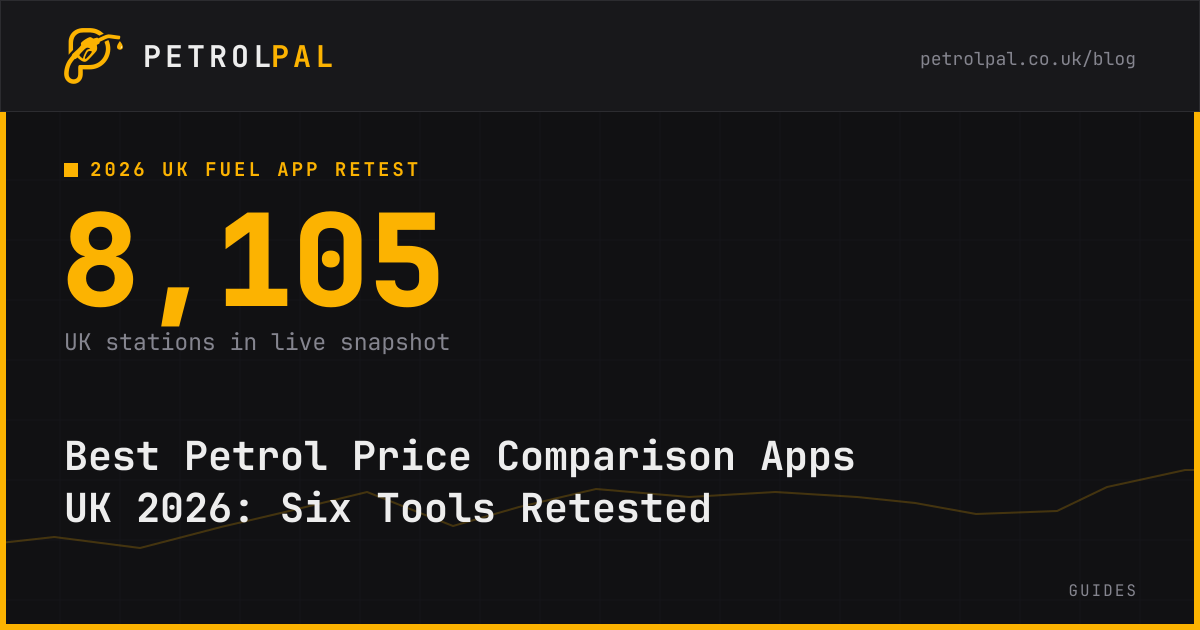
Google Maps and Waze now show UK fuel prices, so neither is merely a station finder. Since 8 October 2026, drivers can search for fuel and see pump prices in both products. PetrolPal and PetrolPrices remain useful when you want to compare a fuel grade, sort nearby stations or assess a stop, rather than just find a forecourt. In PetrolPal's snapshot synced at 03:22 UTC on 12 October, 8,142 UK stations were represented, and 7,915 had an unleaded price. The mean across those unleaded records was 174.35p per litre. These are a dated sample of the PetrolPal statistics API, not a guarantee of any price at the pump. The API changes as new reports arrive; this article records the retrieved snapshot values and sync time. Source
What changed when Google Maps added UK petrol prices?
Our September version said Google Maps did not show UK pump prices consistently. That conclusion no longer describes the product. Google announced on 8 October that Google Maps and Waze use Fuel Finder to show petrol and diesel prices. Search for “petrol” or “fuel” to see nearby stations, and open a station to inspect the fuels it offers. The government announced the same launch and described the prices as near real-time. Source Source
This is a real change for a driver who already uses Maps for directions. You can check a station price without opening another service. Waze combines the fuel display with its navigation context. Neither product should be dismissed because a September web search showed station names without reliable pump prices.
There is an important limit to what the launch announcement proves. It explains searching and viewing prices, but does not document a price-ranked results list, fuel-price sort, per-station update time or a calculation of the cheapest fuel stop on a journey. Those are different tasks from seeing a price on a station card. A local iPhone check around Morecambe on 8 October found prices in Google Maps results, without a price-sort control or visible last-change time. That is one product check, not proof that every device and app version behaves identically. Source
Do not confuse common data with identical products. Google, PetrolPal and other services can ingest Fuel Finder but choose different search, caching and display rules. We have not tested enough matched station changes over several days to rank the services by speed. A single delayed Google price observed at one station cannot support a national freshness claim.
Which petrol price tool suits your journey?
Choose PetrolPal for a browser price check and a journey with possible fuel stops. Its map lets you compare nearby stations, and its route planner considers fuel level, tank size and economy when looking for stops near a route. Basic searches work without creating an account. Check the station price and the last-change time before setting off; check the pump display on arrival. Source Source
Choose PetrolPrices when filters and forecourt details matter most. It explicitly advertises a search near you or at a destination, a choice of price or distance sort, fuel and brand filters, saved filters, facilities, reviews and user confirmation of prices. It also offers a virtual garage and marketing offers. A destination search is not automatically a route-wide search: check how far a candidate is from the roads you will use. Source
Choose Google Maps when you already know where you are going and need a quick fuel check next to directions. Choose Waze when navigation is your primary activity and you want fuel information in the same service. Both now display UK prices. If you need an explicit cheapest-first list or a station update time, inspect the current interface rather than assuming those controls exist merely because a price appears. Source
Choose the AA app if you already use it for breakdown cover or motoring reminders. The AA says its app finds nearby fuel and EV chargers, compares nearby fuel prices, saves a favourite location and plans routes. Its published app page does not say that the route planner calculates the lowest-cost fuel detour. Treat fuel search and route planning as separate confirmed features. Source
Choose myRAC if you prefer a fuel search inside the RAC's wider motoring app. RAC describes searching near your location or another place, along with a route planner for traffic and journeys. It says you need not be an RAC member to download the app. The RAC does not promise on that page that its route planner chooses fuel stops by pump price. Source
How do the six services compare after the October launch?
| Tool | Confirmed strength | Journey role | Check before relying on it |
|---|---|---|---|
| PetrolPal | Station prices and a fuel-aware route planner | Compare a corridor and select a stop | Review price age and detour before driving |
| PetrolPrices | Price or distance sorting, grade and brand filters | Compare nearby or destination stations | Check the station time and any search limit |
| Google Maps | UK station prices beside familiar place search | Inspect a forecourt and get directions | Do not assume a cheapest-first sort or visible update time |
| Waze | UK prices alongside navigation | Look for fuel while driving | Do not assume fuel-price-aware route ranking |
| AA app | Nearby fuel and EV search in a motoring app | Fuel check plus separate route and traffic tools | Check which fuel controls the app offers |
| myRAC | Local fuel search in an RAC motoring app | Fuel search plus separate journey tools | Check registration and daily search limits |
These are product capabilities, not a controlled performance test. Interfaces can change. The table distinguishes a documented feature from an absent promise, rather than treating silence in a marketing page as proof that a feature cannot exist. PetrolPrices documents its sorting and filters directly, while Google documents displaying station prices. Source Source
A nearest station is not necessarily the cheapest useful station. If you must travel ten miles out of your way, a small pump discount may vanish in fuel and time. A route corridor gives you a better set of candidates than a broad search around your starting point. PetrolPal's route tool addresses that problem, but it does not guarantee that any selected stop is the cheapest after traffic, entry restrictions and a price change. Source
Does Fuel Finder make every app equally accurate?
No. Fuel Finder supplies a shared base of official forecourt prices. Retailers must report a new price within 30 minutes after changing it. That rule governs retailer submission, not how quickly Google, Waze, PetrolPal, AA or any other interface fetches and displays the update. The government's October announcement says the scheme reflects around 99% of fuel sold on UK roads; that measure is not a promise that every individual station or grade appears in every app. Source Source
A displayed timestamp also needs interpretation. A feed sync time says when the service last fetched information. A station price time says when that station's record last changed. A station that has not changed price for several days can have an old change time even after a successful feed sync. Conversely, a recent page refresh cannot prove that an unchanged station record is correct. Look for the price's own time where available and compare the forecourt board when you arrive.
PetrolPrices describes several input sources, including forecourts and drivers who confirm or correct a price. Its FAQ describes prices updated as new data arrives, rather than promising that every price changes at a fixed interval. Community reports can help flag a mismatch, but a report needs checking. The government also provides a route to report an incorrect price or forecourt detail. Source Source
The safest routine is simple: check your fuel type, compare more than one station, notice the age of each record and verify the forecourt board. An app cannot control the actual price you will pay. Do not present a single mismatch, even one you measured yourself, as a league table of data quality.
What did PetrolPal's 12 October snapshot show?
At 03:22 UTC on 12 October 2026, PetrolPal's UK-wide statistics endpoint reported 8,142 stations. Its unleaded records covered 7,915 stations with a mean of 174.35p per litre; diesel records covered 8,028 stations with a mean of 199.40p. These are observed records, not a fuel-consumption-weighted national average. The separate public price embed rounds and aggregates differently, so we use one endpoint consistently for this comparison. Source
For unleaded, 2,497 supermarket records averaged 172.00p and 4,479 branded records averaged 175.73p. The difference is 3.73p per litre after rounding the group means. On a hypothetical 55-litre fill, that gap equals about £2.05. Diesel supermarket and branded means were 196.74p and 201.01p, a 4.27p difference or about £2.35 on 55 litres. These comparisons describe groups of available station records, not matched pairs in the same town. Source
A broad average should never decide your specific stop. PetrolPal's raw cheapest-station list contains unusually low records that deserve an individual pump check, and some station locations are remote. Your local cheapest station may be branded, and a supermarket may be too far away. Filter by the fuel your car needs and look at the actual stations around your journey.
To estimate a local saving, subtract one station's pence-per-litre price from another's and multiply by litres bought. Divide by 100 to express the result in pounds. For example, a 4p difference on 50 litres is £2.00 before any detour cost. This arithmetic is illustrative; it is not a claim that any particular pair currently differs by 4p. Check whether loyalty terms, opening hours and a needed fuel grade change the decision.
What should you check before choosing a forecourt?
First, match grades precisely. Standard unleaded E10 is not premium E5. Premium diesel also differs from standard diesel. A cheapest-first list can mislead when it mixes grades, and not every station sells every type. PetrolPrices documents grade filters; Google says a station view displays the types sold there. Source Source
Second, check both price age and arrival route. Note whether the price belongs to the station you intend to visit, not another forecourt with a similar name. If a stop is near your planned road, check the actual entrance and opening hours. A station across a dual carriageway can require a longer detour than its map distance suggests.
Third, compare the discount with what the trip will cost. A price gap is useful only if you buy enough litres and the extra driving does not consume the benefit. A quick fuel stop on an existing journey usually beats a special trip for a tiny difference. If a price looks implausibly low, confirm it at the pump before relying on it.
Finally, choose the tool for the job. Maps or Waze can answer “what does this nearby station charge?” A price-sorted search answers “which nearby station is cheapest for my grade?” A fuel-aware route tool helps answer “where should I stop on this journey?” No one interface is best for every driver, and all price displays remain subject to forecourt verification.